Solo
For individual Salesforce professionals working with a single environment.
$129/month
- Users
- 1
- Salesforce Orgs
- 1
- Git Repositories
- 1
- AI Credits / month
- 200
RplAI uses your org metadata, repositories and project knowledge to investigate requests, prepare code and configuration, and document changes for your team to review.
7-day trial. No credit card required.
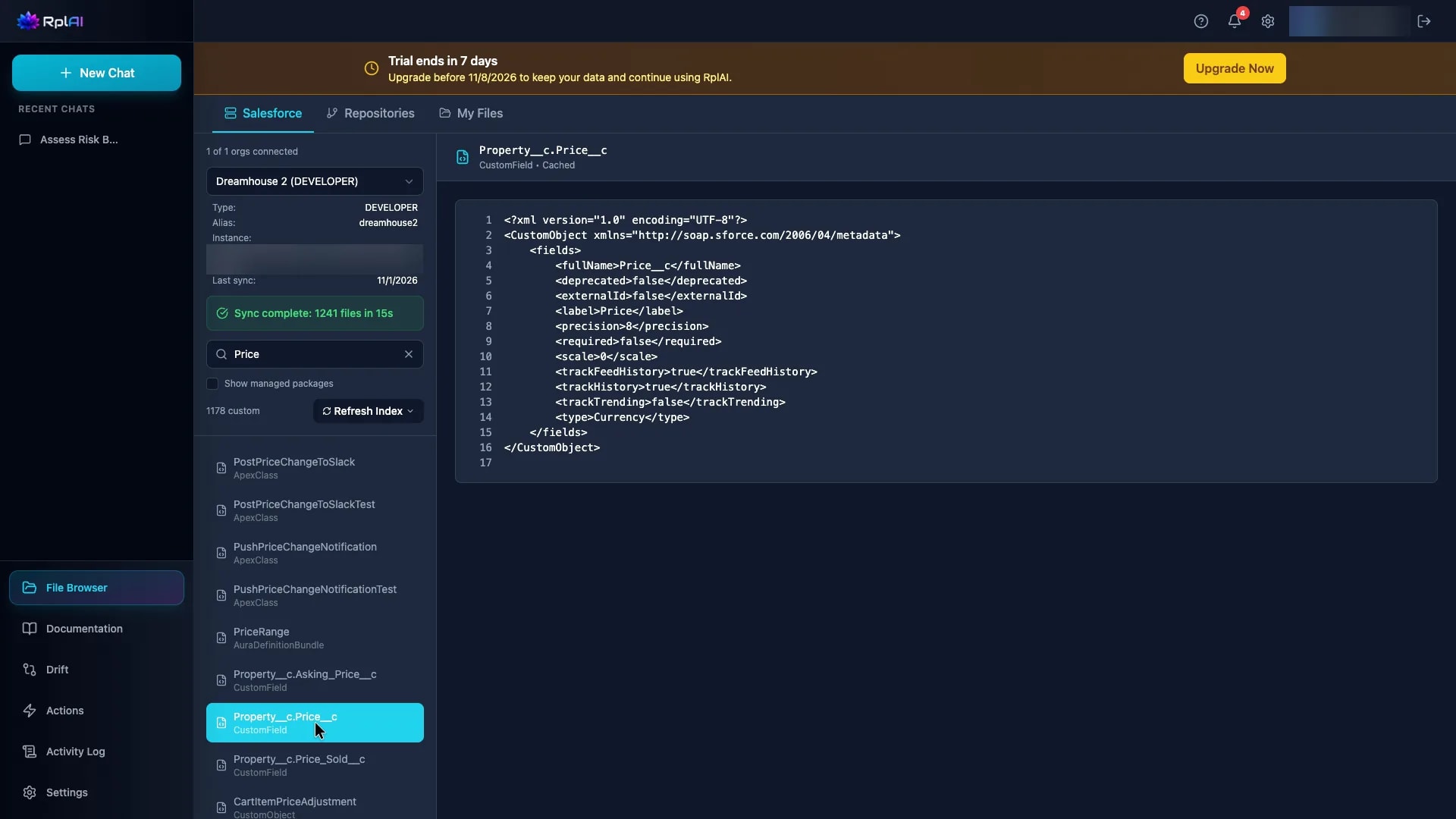
Follow a scoped change in a demo org. The screens on this page come from RplAI connected to a Salesforce developer org with Salesforce sample data.
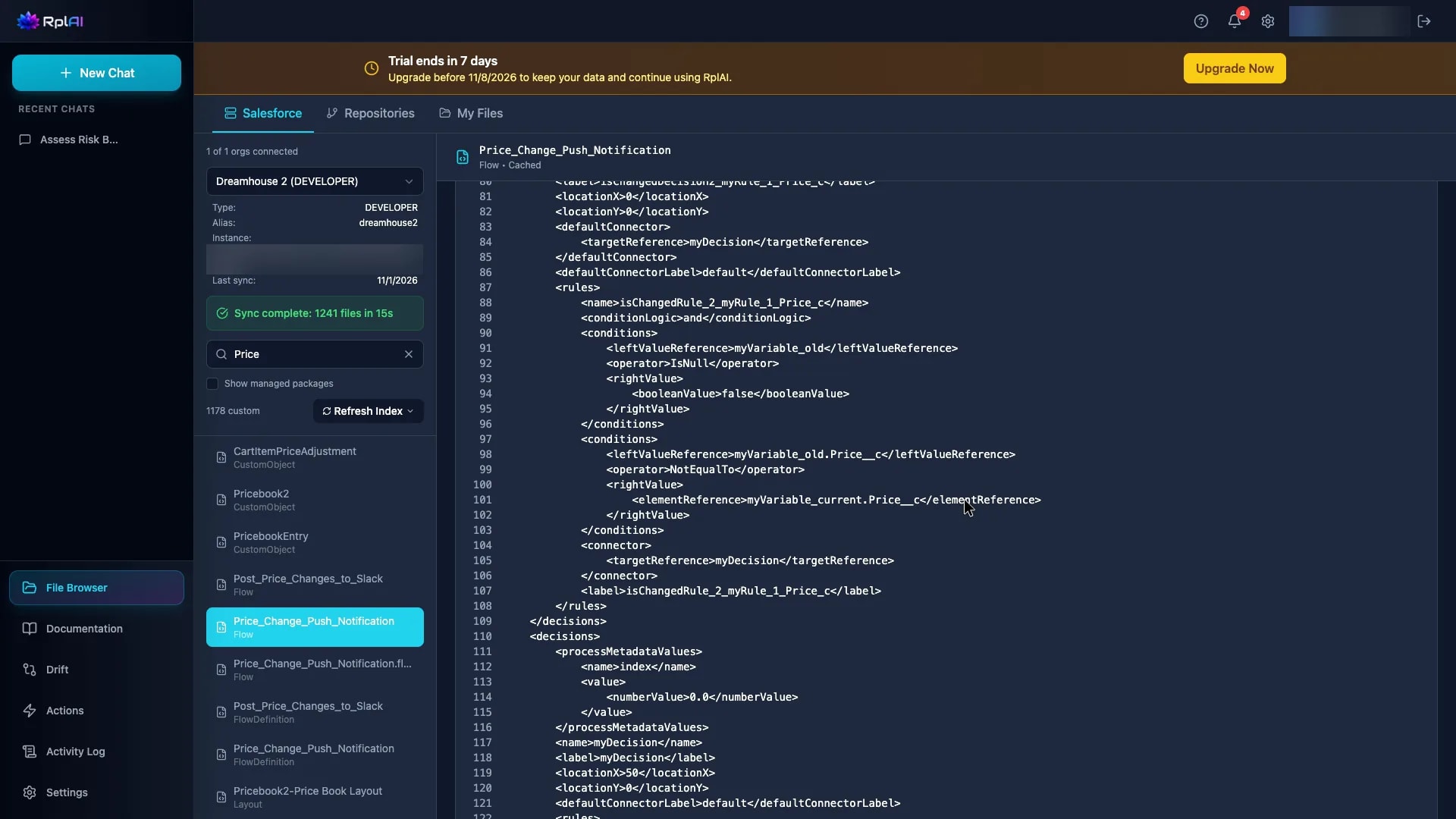
Before changing how a field behaves, check what already uses it. RplAI lets you inspect the fields, Flows and Apex classes involved, then works through the request with that context.
Ask how existing Salesforce configuration and code work before you scope the next request.
See a component investigationInvestigate relevant dependencies and implementation details before preparing the work.
See what reviewers can inspectGenerate code, configuration and supporting documentation using the context available to RplAI.
See the review workflow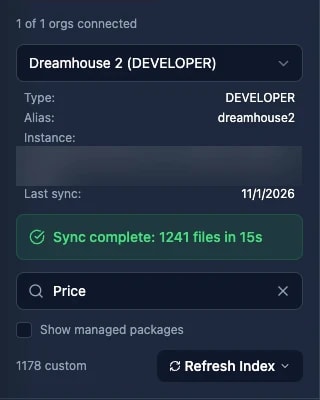
RplAI brings Salesforce metadata, repository code and project documentation into the working context for your requests. Your team can build on the information already connected to the project as it investigates and prepares further changes.
When you sync a connected org, RplAI indexes its components and reads component source from the org when a request needs it. Run Refresh Index after significant changes in the org so the index reflects them.
Connect a Salesforce environment you are authorised to use. Add a repository when the task requires code context.
Describe one request and inspect the relevant configuration, code and dependencies.
Ask RplAI to prepare the change and the information your team needs to review it.
Review the proposed work and validation results. Your team approves deployments.
Understand client orgs, scope changes and keep delivery knowledge available across engagements.
RplAI for Salesforce consultanciesInvestigate requests and prepare changes using the context of your own Salesforce estate.
Use org and repository context to support administration, development and technical documentation.
Create your account and use the trial to evaluate a scoped Salesforce task. Start with a sandbox you are authorised to connect.
7 days. 1 user. 1 Salesforce org. 1 Git repository. 200 AI credits. No credit card required.
Prefer a walkthrough? Book a 15-minute demo.
From individual professionals to enterprise delivery teams, choose the capacity that fits your organisation.
For individual Salesforce professionals working with a single environment.
$129/month
For Salesforce teams delivering work across multiple environments.
$1,499/month
For established teams managing larger Salesforce delivery operations.
$2,999/month
For organisations and Salesforce partners with extensive delivery requirements.
From $7,500/month
7-day free trial. No credit card required.
The trial includes 1 user, 1 Salesforce org, 1 Git repository and 200 AI Credits. Custom capacity is agreed individually with our team.
Connections. Each plan sets how many users, Salesforce orgs and Git repositories a workspace can connect.
AI Credits measure usage of the platform's AI capabilities, and consumption varies by task. Included credits renew each billing period and do not roll over.
Specialist agents. Every plan includes the five core specialists - Orchestrator, Architect, Admin, DevOps and Writer. Neuron, the Agentforce specialist, is a premium capability and is not part of the trial.
All prices in USD per month, excluding applicable taxes.
RplAI is an AI delivery platform for Salesforce teams. It connects to Salesforce orgs and Git repositories you are authorised to use, and gives specialist agents access to your org metadata, repository code and project knowledge. Teams use it to investigate requests, assess dependencies, prepare code and configuration changes, and document the work. Your team reviews the proposed work and approves deployments.
RplAI routes each request to a specialist agent with a defined scope. Your team reviews what they prepare.
Classifies each request and routes it to the specialist with the matching scope.
Technical design across Apex, LWC, data models and integration patterns, using the structure of your connected org.
Flows, objects, fields, permissions and validation rules, prepared for your team to review.
Version control, pull requests and deployments to connected orgs, prepared for your team to approve.
Documentation, changelogs and drift reports for your connected org and the changes prepared in RplAI.
Generates Agentforce metadata from natural language: agents, plugins, prompt templates and planner bundles.
RplAI helps Salesforce teams investigate org metadata and code, assess dependencies, prepare code and configuration changes, and document work for review.
Yes. Create your account, verify your email and start your seven-day trial. You can book a demo whenever you want a guided walkthrough.
You can create your account first. To investigate your own org, connect a Salesforce environment you are authorised to use. We recommend a sandbox for your initial evaluation.
The trial includes one user, one Salesforce org, one Git repository and 200 AI credits for seven days. No credit card is required.
Your team reviews the proposed work and approves deployments. Review the requested access and permissions before connecting an environment.
Choose a paid plan to continue using RplAI. Your account shows the trial expiry date and the available next steps.
Yes. The screens on this page come from RplAI connected to a demo org, and you can book a 15-minute demonstration using our demo environment.
No. RplAI is an independent product built by Synvia Systems and is not affiliated with, endorsed by or sponsored by Salesforce, Inc. Salesforce, Agentforce and related marks are trademarks of Salesforce, Inc.
In a 15-minute session, we will walk through a scoped change in a demo org and explain how to evaluate a similar request in your own environment.
Prefer to try it yourself? Start your free trial.